


Description
Payment & Security

Your payment information is processed securely. We do not store credit card details nor have access to your credit card information.
Great Prices Everyday
Australian Family Owned
Need help?


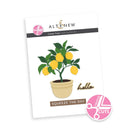
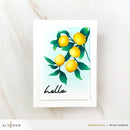
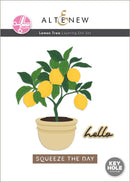
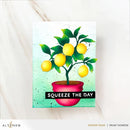
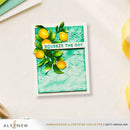
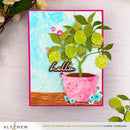
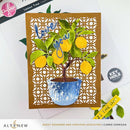
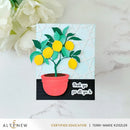
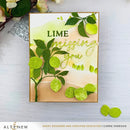
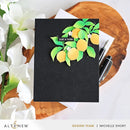
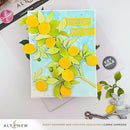
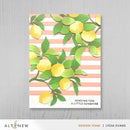
Create a charming layered lemon tree with the Creative Cuts: Lemon Tree Layering Die Set. This beautifully designed die set makes it easy to build a dimensional botanical scene with just a few simple layers.
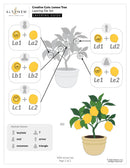
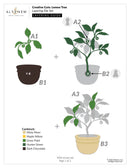
The leaves are arranged into three separate layers to create natural depth and texture, while the included planter adds a finished touch to your design. For a creative alternative, trim the trunk and transform the tree into a beautiful hanging arrangement.
Perfect for cards, scrapbook layouts, journals, and paper crafting projects, this versatile set allows you to create fresh, cheerful designs all year round.
Features:
Create a beautifully layered lemon tree with ease
Three leaf layers add realistic dimension and texture
Includes a planter for a complete finished look
Trim the trunk to create a hanging plant arrangement
Perfect for card making, scrapbooking, journalling, and paper crafts
Pair with coloured cardstock for custom seasonal designs
Compatible with most standard die-cutting machines (sold separately)
Tip:
Make crafting effortless by pairing this die set with Crafty Necessities Coloured Cardstock Sets for perfectly coordinated layers.
Perfect Pairings: (all sold separately)
Pom Pom Trees Layering Die Set
Mini Delight: Sweet Life Stamp & Die Set
Essential Textures: Stone Wall Press Plates/Foil Plates
Die Dimensions:
Assembled Lemon Tree: 3.8" x 5.1" (9.7cm x 13.0cm)
Hello: 1.5" x 0.6" (3.8cm x 1.5cm)
Squeeze the Day: 3.2" x 0.4" (8.1cm x 1.0cm)
Details:
Collection: Creative Cuts
Design: Lemon Tree Layering Die Set
Your payment information is processed securely. We do not store credit card details nor have access to your credit card information.

You have copied the placement for the Product Page.
Go back to the App Embeds section, and in the Paypal Advanced Settings, paste the copied value into the Product Page field and click the 'Save' button in the top right corner.