



Description
Payment & Security

Your payment information is processed securely. We do not store credit card details nor have access to your credit card information.
Great Prices Everyday
Australian Family Owned
Need help?


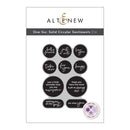
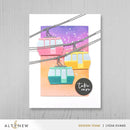
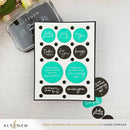
Create perfectly cut sentiment pieces in one easy step with the One-Go: Solid Circular Sentiments Die. Designed to coordinate with the One-Go: Solid Circular Sentiments Press Plate (sold separately), this die allows you to cut all 10 circular sentiments at once for quick and effortless card making.
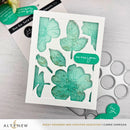
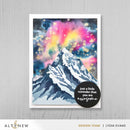
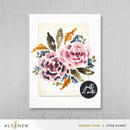
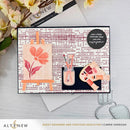
Use this versatile die set with the coordinating press plate, or pair it with ink and hot foil techniques to create clean, elegant sentiment pieces with beautiful detail. Perfect for everyday cards, friendship projects, encouragement cards, and quick handmade creations.
Features:
Coordinates with the One-Go: Solid Circular Sentiments Press Plate (sold separately)
Cuts all sentiments at once for quick and efficient crafting
Perfect for inked, letterpress, and hot foil designs
Creates clean, professional sentiment pieces
Ideal for cards, tags, invitations, and paper crafting projects
Great for quick mass production and streamlined layouts
Compatible with most standard die-cutting machines (sold separately)
Die Dimensions:
Plate size: 83.22mm x 118.73mm (3.27" x 4.67")
Perfect Pairings: (all sold separately)
One-Go: Solid Sentiment Strips Press Plate/Foil Plate
Geometric Essentials: Circles Press Plates/Foil Plates
Dainty Swiss Dots Stamp Set
What is the One-Go System?
The One-Go System helps simplify your crafting by allowing multiple elements to be created in a single pass.
One-Step: Stamp, stencil, foil, or die-cut multiple images at once
Time-Saving: Reduces preparation and alignment time
Effortless: Perfect for quick card production and efficient layouts
Details:
Collection: One-Go
Design: Solid Circular Sentiments Die
Includes: 1 coordinating die set
Your payment information is processed securely. We do not store credit card details nor have access to your credit card information.

You have copied the placement for the Product Page.
Go back to the App Embeds section, and in the Paypal Advanced Settings, paste the copied value into the Product Page field and click the 'Save' button in the top right corner.