


Description
Payment & Security

Your payment information is processed securely. We do not store credit card details nor have access to your credit card information.
Great Prices Everyday
Need help?


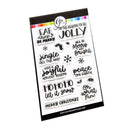
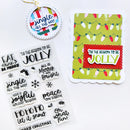
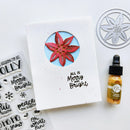
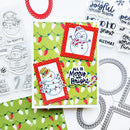
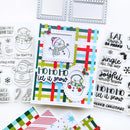
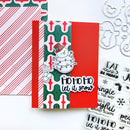
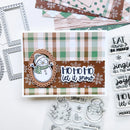
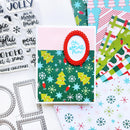
Make every holiday project a little more jolly with the Catherine Pooler Jolly Jingle Sentiments Clear Stamp Set. Packed with cheerful Christmas greetings in a mix of playful and sweet fonts, this versatile set is perfect for adding festive messages to Christmas cards, scrapbook pages, gift tags and more.
The set also includes festive icons such as bells, holly and berries for adding extra detail and embellishment to your projects. Use the sentiments on their own or combine them with the seasonal images to create layered and coordinated Christmas designs.
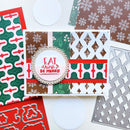
Pair the set with the Jolly Jingle Sentiments Dies (sold separately) for even more versatility when layering, arranging and adding your holiday greetings to handmade projects.
Sentiments Include:
Eat, Drink & Be Merry
'Tis the Season to Be Jolly
Jingle All the Way
All Is Merry and Bright
Have a Joyful Holiday Season
Peace on Earth
Ho Ho Ho Let It Snow
Oh What Fun
Merry Christmas
Features:
Cheerful Christmas sentiments in a variety of fonts
Includes festive bells, holly and berries
Perfect for Christmas cards, scrapbook pages and gift tags
Coordinates with Jolly Jingle Sentiments Dies (sold separately)
Designed by Erika Post & Lisa Kirkbride
High-quality clear photopolymer stamps
Compatible with acrylic stamping blocks (sold separately)
Details:
Product: Catherine Pooler Jolly Jingle Sentiments Clear Stamp Set
Material: High-quality photopolymer
Use With: Acrylic stamping blocks (sold separately)
Coordinates With: Jolly Jingle Sentiments Dies (sold separately)
Your payment information is processed securely. We do not store credit card details nor have access to your credit card information.
