



Description
Payment & Security

Your payment information is processed securely. We do not store credit card details nor have access to your credit card information.
Great Prices Everyday
Need help?


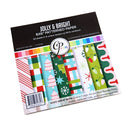
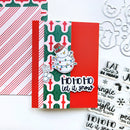
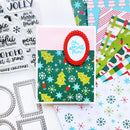
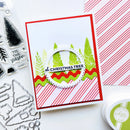
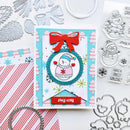
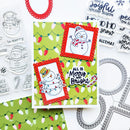
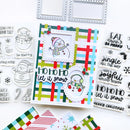
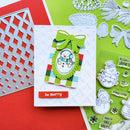
Bring cheerful colour and festive personality to your holiday projects with Catherine Pooler Jolly & Bright Patterned Paper. This whimsical collection features a playful mix of festive patterns, including colourful plaids, candy cane stripes, twinkling Christmas lights and fun pink Christmas trees.
The coordinating colour palette includes Cotton Candy, Rockin' Red, Garden Party, Martini, Deck the Halls and Cummerbund, making it easy to mix and match these papers with your favourite Catherine Pooler products. Use them for card backgrounds, layering, borders, die cutting and embellishments, or add a cheerful pop of colour to scrapbook pages, gift tags and other Christmas projects.
The collection includes 24 sheets across eight different designs, with three sheets of each design. Printed single-sided on quality 80lb cardstock in the USA, these versatile patterned papers are perfect for adding festive detail to your handmade creations.
Features:
Whimsical Christmas-themed patterns
Includes plaids, candy cane stripes, Christmas lights and pink Christmas trees
Eight different designs
Three sheets of each design
Coordinating Catherine Pooler colour palette
Single-sided printing
Ideal for Christmas cards, scrapbooking, gift tags and papercrafts
Illustrated by Allison Pennington
Printed in the USA
Details:
Product: Catherine Pooler Jolly & Bright Patterned Paper
Quantity: 24 sheets
Designs: 8 designs, 3 sheets each
Size: 6" x 6" (15.2cm x 15.2cm)
Card Weight: 80lb cardstock
Printing: Single-sided
Illustrator: Allison Pennington
Your payment information is processed securely. We do not store credit card details nor have access to your credit card information.
