


Description
Payment & Security

Your payment information is processed securely. We do not store credit card details nor have access to your credit card information.
Great Prices Everyday
Australian Family Owned
Need help?


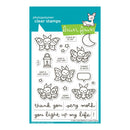
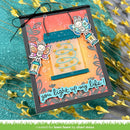
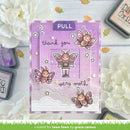
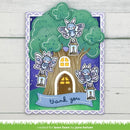
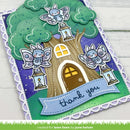
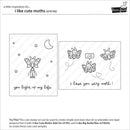
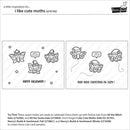
Add whimsical charm to your handmade cards and papercraft projects with the I Like Cute Moths Clear Stamps from Lawn Fawn. Featuring adorable fluffy moths, sweet sentiments, a speech bubble and delightful nature-inspired elements, this versatile stamp set is perfect for birthdays, thank you cards, encouragement, scrapbook layouts and everyday handmade creations.
Crafted from premium photopolymer, these clear stamps produce crisp, detailed impressions and offer precise placement on acrylic blocks. Pair them with coordinating dies, colouring stencils and interactive elements to create layered, dimensional projects full of personality and movement.
Key Features
Premium clear photopolymer stamps for crisp, detailed impressions.
Features fluffy moths, sentiments, a speech bubble and nature-inspired images.
Perfect for handmade cards, scrapbook layouts, journals and papercrafts.
Suitable for birthdays, thank you cards and everyday greetings.
Coordinates with I Like Cute Moths Lawn Cuts (Sold Separately).
Coordinates with I Like Cute Moths Coloring Stencils (Sold Separately).
Pairs with I Like Cute Moths Add-On (Sold Separately).
Coordinates with All The Witch Hats (Sold Separately).
Compatible with Slide On Over (Sold Separately).
Complements I Like Big Butterflies (Sold Separately), Hive Five (Sold Separately) and Just Plane Awesome (Sold Separately).
Part of the All The Fun Collection (Sold Separately).
Bring your nature-inspired creations to life with the I Like Cute Moths Clear Stamps. From elegant everyday cards to interactive handmade projects, this charming stamp set offers endless creative possibilities with Lawn Fawn's signature whimsical style.
Your payment information is processed securely. We do not store credit card details nor have access to your credit card information.

You have copied the placement for the Product Page.
Go back to the App Embeds section, and in the Paypal Advanced Settings, paste the copied value into the Product Page field and click the 'Save' button in the top right corner.