


Description
Payment & Security

Your payment information is processed securely. We do not store credit card details nor have access to your credit card information.
Great Prices Everyday
Australian Family Owned
Need help?


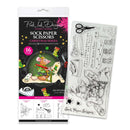
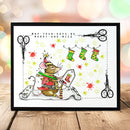
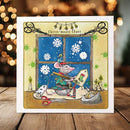
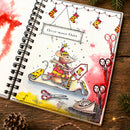
Get ready for some festive crafting chaos with the Pink Ink Designs Sock Paper Scissors DL Clear Stamp Set. Featuring a cheeky Christmas mouse caught up in a tangle of crafting supplies, this detailed design is full of character, with oversized scissors, paintbrushes, Christmas stockings, stars and plenty of mischievous charm.
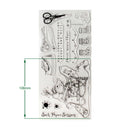
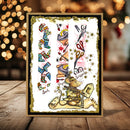
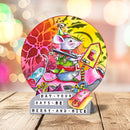
The set includes 16 individual clear stamps, featuring the main Christmas mouse illustration alongside craft accessories, festive bunting, stockings, stars and playful sentiments including “May Your Days Be Merry and Mice” and “Christ-mouse Chaos”. Mix and match the elements to create fun Christmas cards, handmade gift tags and imaginative festive papercraft projects.
Made from deep-etched clear photopolymer, these stamps provide crisp, detailed impressions and are easy to position. They are perfect for card making, papercrafting, mixed media, art journalling, scrapbooking and home décor projects. Bring the illustrations to life with inks, alcohol markers, watercolours, coloured pencils and more.
Features:
Festive Christmas mouse and crafting-themed designs
16 individual clear stamps
Includes craft accessories, bunting, stockings, stars and Christmas sentiments
Deep-etched photopolymer for crisp, detailed impressions
Clear stamps for easy positioning
Ideal for Christmas cards, gift tags and festive papercraft
Compatible with acrylic blocks and stamping platforms
Pink Ink Designs original artwork
Details:
Product: Pink Ink Designs Sock Paper Scissors DL Stamp Set
Overall Mounted Size: 99mm x 210mm
Main Character Stamp: 88mm high
Material: Deep-etched clear photopolymer
Quantity: 16 stamps
Use With: Acrylic blocks and stamping platforms
Care: Clean after use
Your payment information is processed securely. We do not store credit card details nor have access to your credit card information.

You have copied the placement for the Product Page.
Go back to the App Embeds section, and in the Paypal Advanced Settings, paste the copied value into the Product Page field and click the 'Save' button in the top right corner.