




Description
Payment & Security

Your payment information is processed securely. We do not store credit card details nor have access to your credit card information.
Great Prices Everyday
Need help?


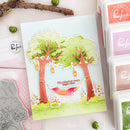
Create peaceful, restorative handmade cards with the Peaceful Pause Cling Rubber Stamp, designed by Inna Moreva. This beautifully detailed outdoor scene features a relaxing hammock, leafy trees, picnic elements, and thoughtful retirement-themed sentiments, making it perfect for celebration, encouragement, and peaceful everyday occasions.
The versatile scene offers endless creative possibilities, while the five included sentiments can be popped out and used individually for added flexibility across a wide range of projects.
Pair this stamp with the coordinating Peaceful Pause Layering Stencil and Peaceful Pause Coordinating Die (sold separately) to easily add beautiful colour and cut every element in a single pass.
Coordinates With (Sold Separately):
Peaceful Pause Coordinating Die
Peaceful Pause Layering Stencil
Features:
Includes 1 deeply etched cling rubber stamp
Scene size (trees/grounding): approximately 4¼" x 4⅞" (10.8cm x 12.4cm)
Features a peaceful outdoor scene with a hammock, trees, and picnic details
Five sentiments can be separated and used individually
Made from deeply etched red rubber mounted to cling foam for crisp, detailed impressions
Made in the USA
Perfect for card making, scrapbooking, journaling, and mixed media projects
Packaging includes a full-colour finished project example for inspiration
Included Sentiments:
You've earned every peaceful moment
Time to relax and enjoy the view
The relaxing years begin now
Here's to slower mornings and easy afternoons
Retirement looks good on you
Designer:
Designed by Inna Moreva
Perfect for creating heartfelt retirement cards and tranquil handmade projects that celebrate relaxation, new beginnings, and life's quieter moments.
Your payment information is processed securely. We do not store credit card details nor have access to your credit card information.
