


Description
Payment & Security

Your payment information is processed securely. We do not store credit card details nor have access to your credit card information.
Great Prices Everyday
Need help?


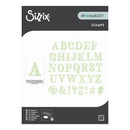
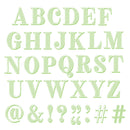
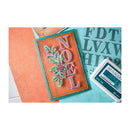
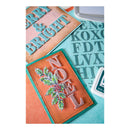
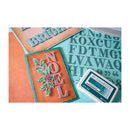
Add bold typography and vintage-inspired style to your handmade projects with the Sizzix Clear Stamps Set 36PK – Lino Type by 49 and Market. Inspired by traditional block print lettering, this versatile alphabet stamp set allows you to create personalised sentiments, monograms, titles, and custom typographic designs with a handcrafted look.
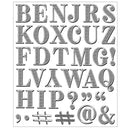
Featuring a collection of uppercase letters and punctuation marks, this set is perfect for adding unique messages and statement details to cards, tags, scrapbook layouts, journals, and mixed media projects. Combine letters to create your own words and designs, making every project truly one-of-a-kind.
Designed to coordinate beautifully with the Sizzix Thinlits Die Set 36PK – Lino Type Revival by 49 and Market (667221), you can use the matching stamps and dies together for perfectly coordinated layered embellishments.
Features:
Includes 36 high-quality clear stamps
Features uppercase letters and punctuation elements
Inspired by traditional lino/block print lettering
Create custom sentiments, monograms, titles, and decorative text
Perfect for cards, tags, scrapbooking, journaling, and mixed media projects
Coordinates with Lino Type Revival Thinlits Die Set (667221, sold separately)
Easy to use with any clear acrylic stamping block (sold separately)
Details:
Stamp Set: Lino Type
Designer: 49 and Market
Includes: 36 clear stamps
Create timeless, personalised designs with the Sizzix Clear Stamps Set – Lino Type by 49 and Market, perfect for adding vintage lettering, bold messages, and handcrafted typography to your creative projects.
Additional information:
4.76cm x 3.49cm - 0.95cm x 0.95cm
1 7/8” x 1 3/8” - 3/8” x 3/8”
Your payment information is processed securely. We do not store credit card details nor have access to your credit card information.
