


Description
Payment & Security

Your payment information is processed securely. We do not store credit card details nor have access to your credit card information.
Great Prices Everyday
Australian Family Owned
Need help?


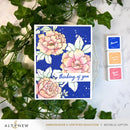
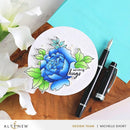
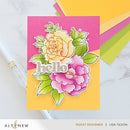
Create balanced floral arrangements easily with the Build-A-Garden: Blossoming Trio!
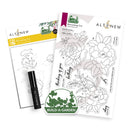
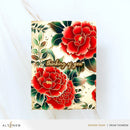
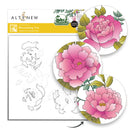
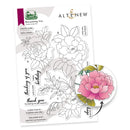
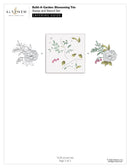
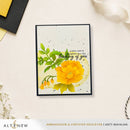
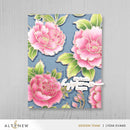
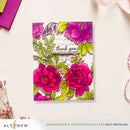
The Build-A-Garden: Blossoming Trio stamp set features three elegant floral illustrations with foliage. Each arrangement varies in composition & orientation, making them easy to use as focal images or combine for fuller arrangements. The flowing petals and natural leaf clusters form balanced botanical compositions that work beautifully for cards and other paper crafting projects. Use the blooms individually for striking statement pieces or pair them together to build lush floral scenes.
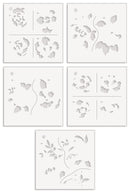
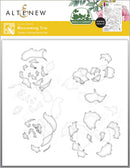
This coordinating stencil set makes it easy to add color to the florals in the stamp set and bring the blooms to life. The layered stencils guide your ink blending, allowing you to quickly build soft shading and dimension across the petals and foliage for beautifully colored floral arrangements.
Sentiments: These 12 sweet sentiments are perfect for encouragement, thank you, birthday, and uplifting cards.
cherish today ▪ hello, lovely ▪ thinking of you ▪ just a note ▪ happy birthday ▪ thank you for being my support ▪ a little note to brighten your day ▪ may peace and comfort surround you ▪ sending hugs ▪ may you be surrounded by love ▪ with love ▪ miss you, my friend
Perfect Pairings: Paper Echoes Stencil ▪ Squiggly Lines Background Stencil ▪ Stylish Greetings Die Set
This set includes the following products:
One 6" x 8" stamp set containing 15 high-quality photopolymer stamps made in the USA
One 6" x 6" layering stencil set with five stencils that coordinate with the stamp set
One Mini Ink Blending Brush for flawless ink blending
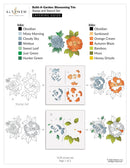
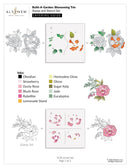
Download: Build-A-Garden: Blossoming Trio Layering Guide
Your payment information is processed securely. We do not store credit card details nor have access to your credit card information.

You have copied the placement for the Product Page.
Go back to the App Embeds section, and in the Paypal Advanced Settings, paste the copied value into the Product Page field and click the 'Save' button in the top right corner.